Create Perfect Tile Designs
Tiling Studio empowers you to design intricate tile patterns with precision. Place shapes, customize colors, and build repeating patterns all in one intuitive canvas editor.
Build Unique Designs
Place shapes easily on the canvas and give them different colors to create impressive patterns. Experiment with layouts, sizes, and color combinations without limits.
- Easy Placement
- Drag shapes onto the canvas and position them exactly where you want.
- Color Customization
- Give each shape a unique color from an extensive color palette.
- Pattern Repetition
- Automatically create repeating patterns by placing various shapes.
Design with Precision
Intuitive Toolbar at Your Fingertips
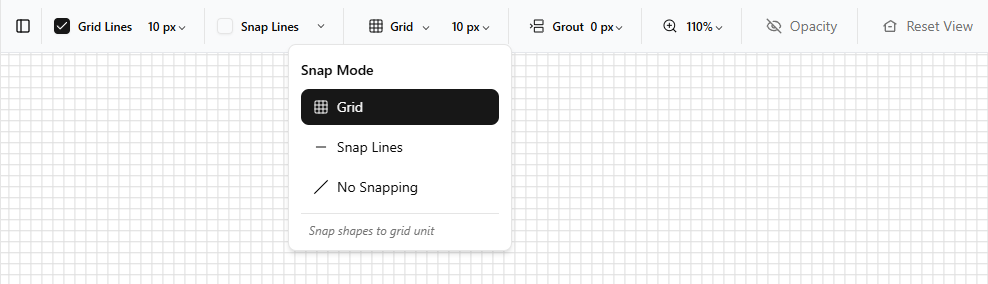
A comprehensive toolbar provides all the essential tools you need to design stunning tile patterns. Access shape libraries, color pickers, grid controls, and snap alignment options—all organized for seamless workflow and maximum creative control.
Identical Shapes, Endless Patterns
Unlock creative possibilities by arranging uniform shapes in unique configurations. Mix and match colors to generate stunning, complex patterns from simple building blocks.
- Unified Geometry
- Use the same shape repeatedly to maintain visual harmony across your design.
- Color Variation
- Transform identical shapes with different colors to create visual interest and depth.
- Infinite Configurations
- Arrange, space, and rotate uniform elements to generate limitless pattern variations.
Expand Your Creative Library
Create Custom Shapes for Your Patterns
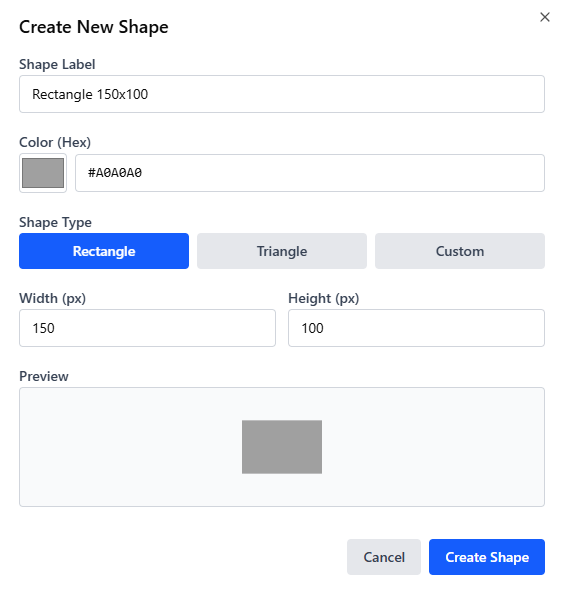
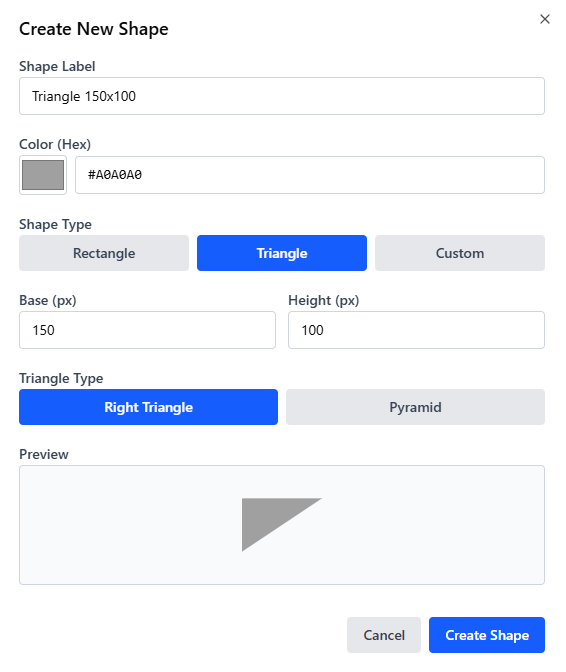
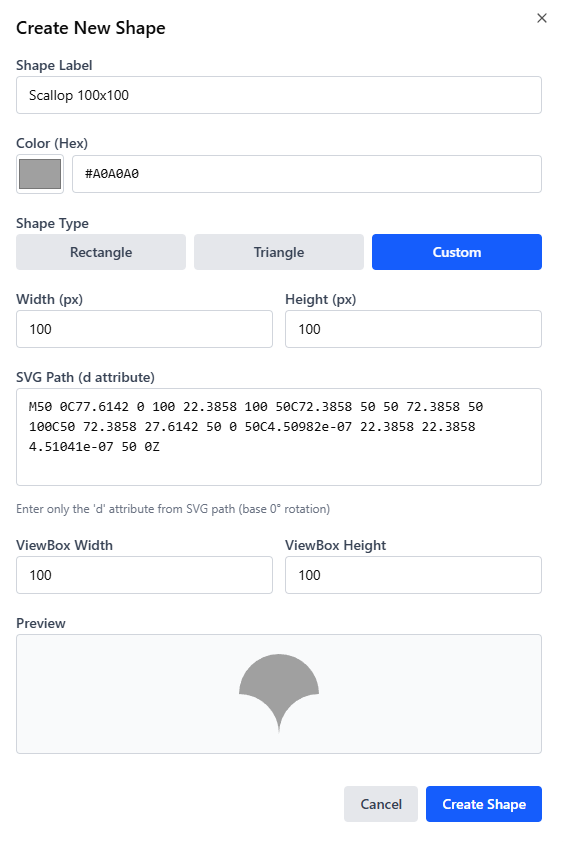
Design your own unique shapes to enrich your grid and patterns. Build custom polygons, define your own geometry, and blend them seamlessly with existing elements to create truly one-of-a-kind tile designs that reflect your vision.
Fine-Tune Every Detail
Fine-tune your designs with precision controls. Adjust grout spacing between shapes for custom layouts, and modify grid units for pixel-perfect placement of every element.
- Adjustable Grout Spacing
- Control the spacing between shapes with flexible grout adjustments to create the exact visual gaps you need.
- Customizable Grid Units
- Set your preferred grid unit size for precise alignment and consistent placement across your entire design.
- Pixel-Perfect Control
- Combine grout and grid adjustments for unlimited design flexibility and professional-grade precision.